
AI user manual generator
Create your user manual with AI.
Describe your product or bring a Google Doc. Sonat drafts every topic, lets you check each change, and publishes a manual readers can search, online and as a PDF.
Free plan · 300 AI credits included · No credit card
Illustration. Northwind and the Rover R2 are a sample company and product.
Manuals published with Sonat by





Why not just ask ChatGPT?
A chat answer isn't a user manual.
A chatbot gives you text. A manual needs topics, accurate steps, a place to live and an update every release.
One long page of text
No topics, no navigation, nothing readers can search. You still split it up by hand.
Steps that only sound right
It fills gaps with guesses, and nothing shows which line came from your material.
Copy, paste, format, repeat
Then publish it somewhere, export a PDF, and do it all again when the product changes.
With Sonat: a manual, not a chat
- Topics in a tree
- Edits you can check
- Web manual
- Cited answers
Not one long chat answer. A user manual readers can search.
How it works
From your notes to a published manual in three steps.
Start from a few lines about your product, a Google Doc, or a public web page like your release notes.
-
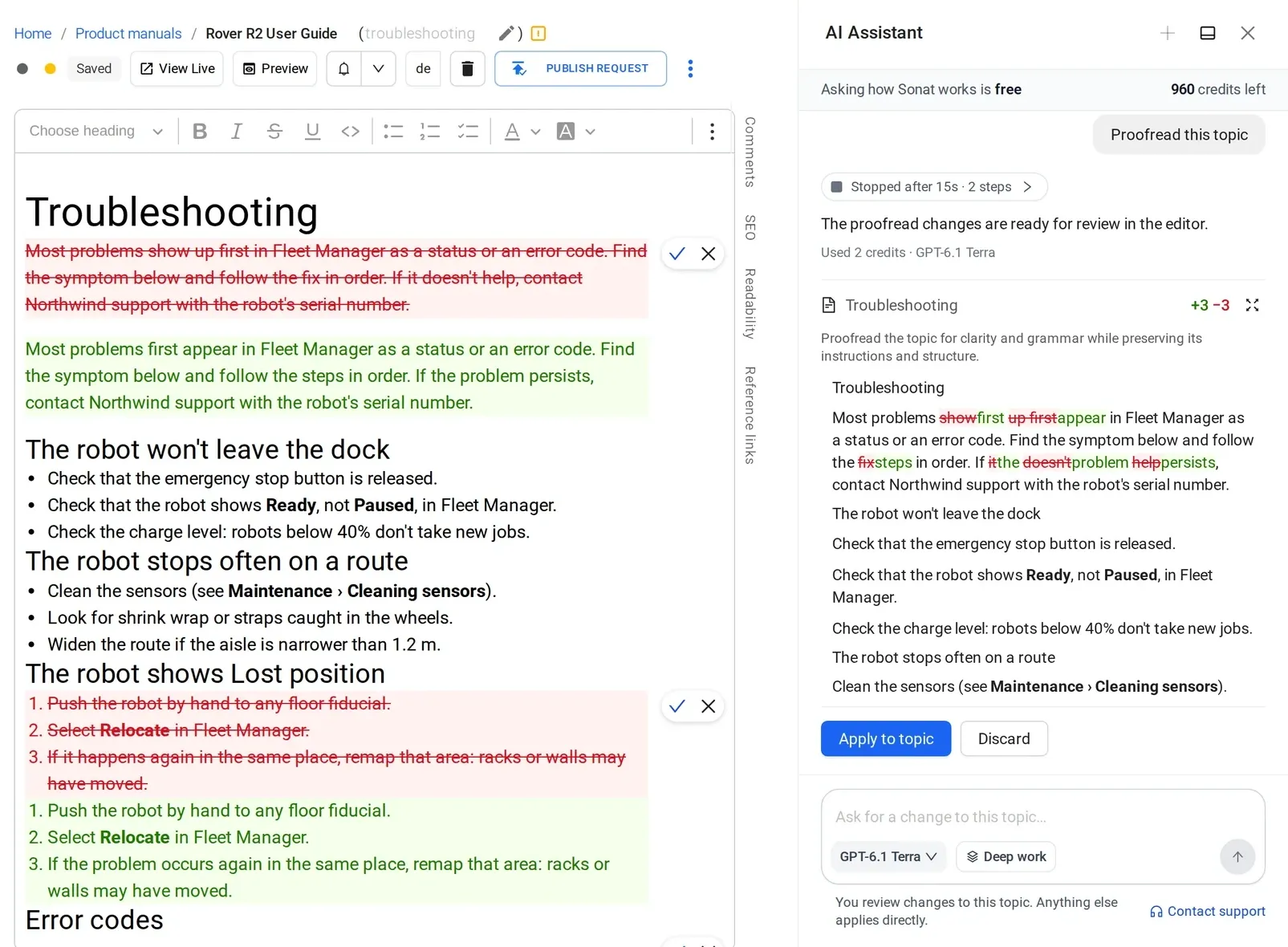
1 Ask for the manual you need
Ask for an outline first, a whole user guide, or one chapter. The assistant creates the topics in your document and shows each step while it works. You can stop it any time.
-
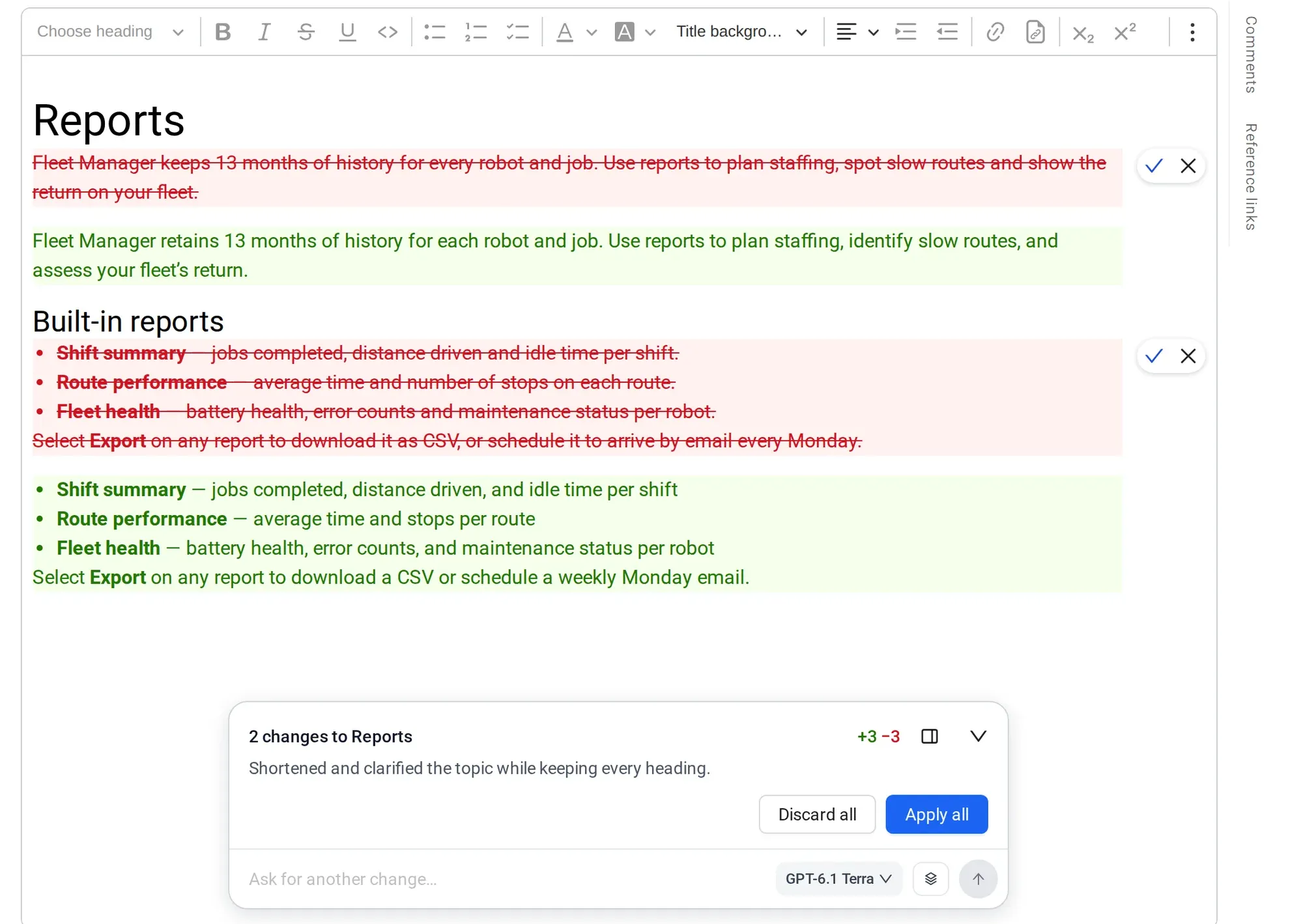
2 Check every change in the topic
Edits show up in the page itself: removed text in red, new text in green. Keep a change with ✓, drop it with ✕, or ask for another try.
-
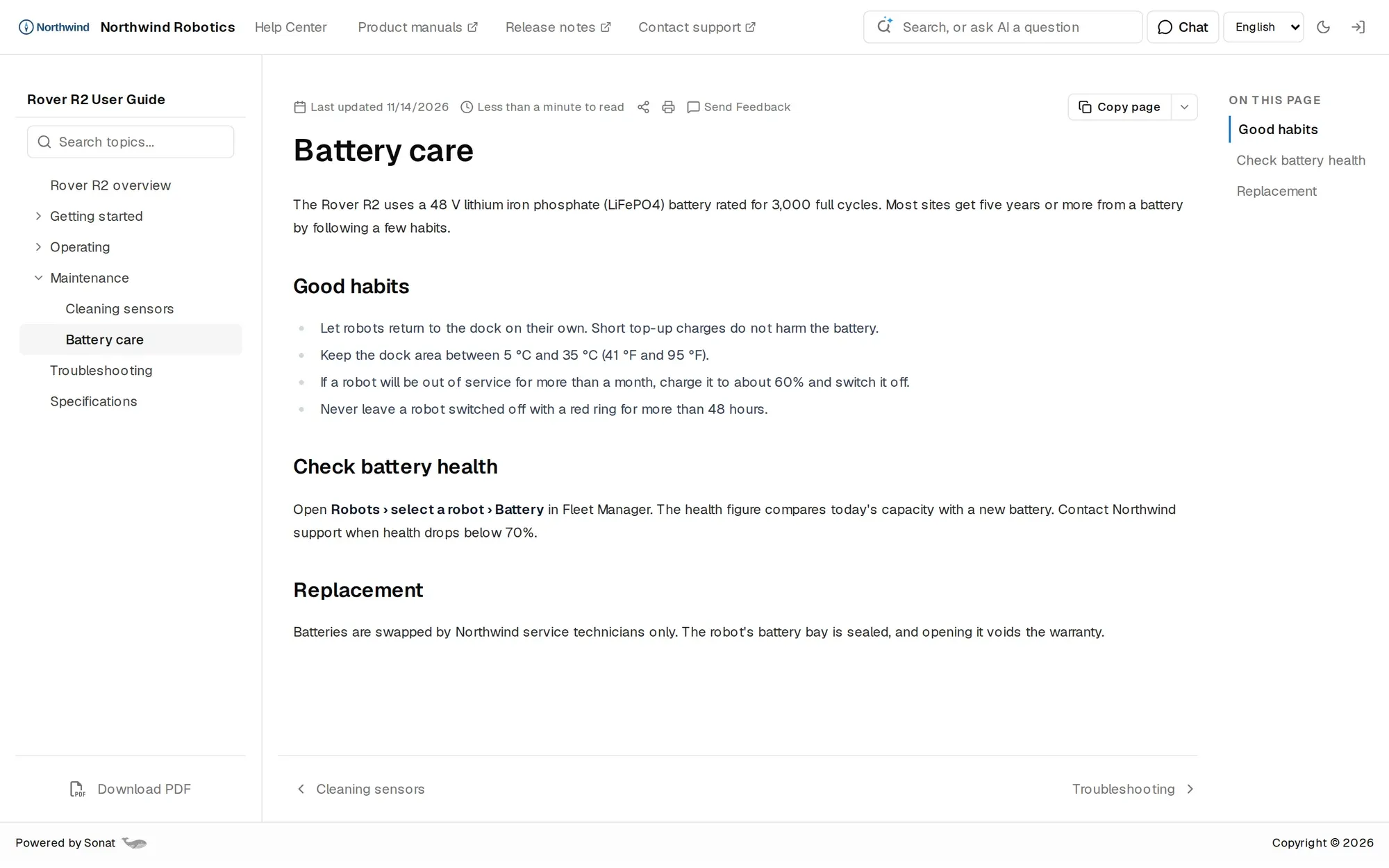
3 Publish to the web and PDF
Drafts stay private until you publish. Then readers get a searchable online manual on your own domain, and a PDF they can download.
Your choice of AI
Use GPT, Claude or Gemini.
Pick the model that suits the job, right in the chat box, and switch whenever you like.
- GPT-6.1 Terra for everyday writing and edits
- Claude Opus 5.5 for long documents and careful rewrites
- Gemini 3.1 Pro for working from a lot of source material
For a whole manual on a paid plan, turn on Deep work: Claude plans the job, you start it, and it works through every topic.
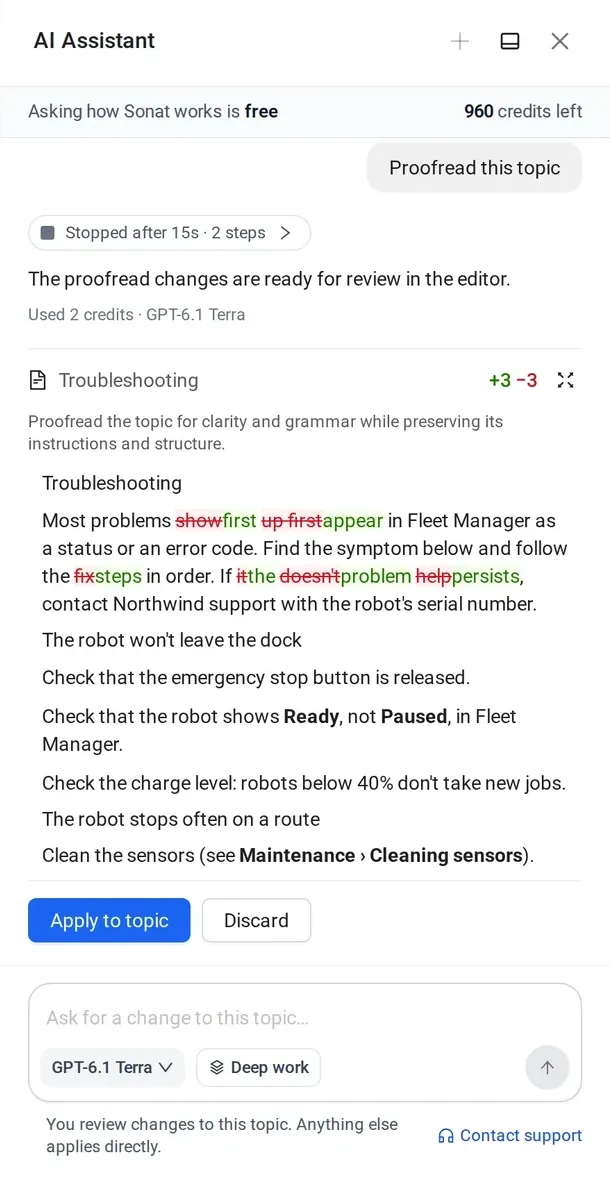
What you publish
A real manual readers can use, not a text file.
- Online, on your domain
- A fast, mobile-friendly manual at docs.yourcompany.com. See custom domain.
- A PDF on every plan
- Rebuilt about 10 minutes after you publish, ready to download. See PDF export.
- Search with cited answers
- Readers ask a question and get an answer with links to your topics. Team and above. See AI answers.
- Every language
- A version of the manual per language, each with its own PDF. See languages.
- AI credits
- Every plan includes them, Free too. Free: 300 once. Team: 500 a month. Business: 1,000 a month.
- Version history
- Every published change is kept, so you can always go back.
Bring one chapter. See it as a manual.
Send us a chapter of your current manual. We'll show it back as a searchable Sonat manual.
FAQ
AI user manual generator questions
Is the AI user manual generator free?
Yes, you can create a user manual on the Free plan. It includes 300 AI credits once. Team includes 500 credits a month and Business 1,000. See pricing.
What can I create a manual from?
A short description of your product, a Google Doc you import or keep in sync, or a public web page such as your product page or release notes. Uploading Word or PDF files to draft from isn't available yet.
Which AI models does it use?
You choose: GPT-6.1 Terra, Claude Opus 5.5 or Gemini 3.1 Pro. Deep work, for whole manuals, uses Claude and is on paid plans.
Will the AI make things up?
It writes from the material you give it, and any AI can still get a detail wrong. That's why edits to a topic show up in the page for you to check, and nothing is public until you publish.
Does it create a whole manual in one click?
No. You ask for an outline, a chapter or a whole guide, and the topics come in as drafts you can check. That's slower than one click, and much safer for a manual people rely on.
Can I edit everything it writes?
Yes. Every topic is a normal page in the editor. Change the text yourself, or ask the assistant to rewrite it.
Can I use it for instruction manuals and user guides?
Yes. Product manuals, instruction manuals, installation guides, user guides and help centers are all built the same way: topics in a tree, published to the web and PDF.
Your first draft can be ready today.
Create a free account, describe your product, and ask for an outline.
300 AI credits included · No credit card