
MCP server
Run your manuals from Claude with one MCP server.
Connect Claude, ChatGPT or Cursor once. Then search, draft and update your Sonat docs from the chat, without copy-paste. Nothing goes live until you publish.
Works with Claude, ChatGPT and Cursor. Sign in with your Sonat login.
How it works
Connect once, then work from the chat.
The Sonat MCP server gives your AI tool the same actions you have in the editor.
-
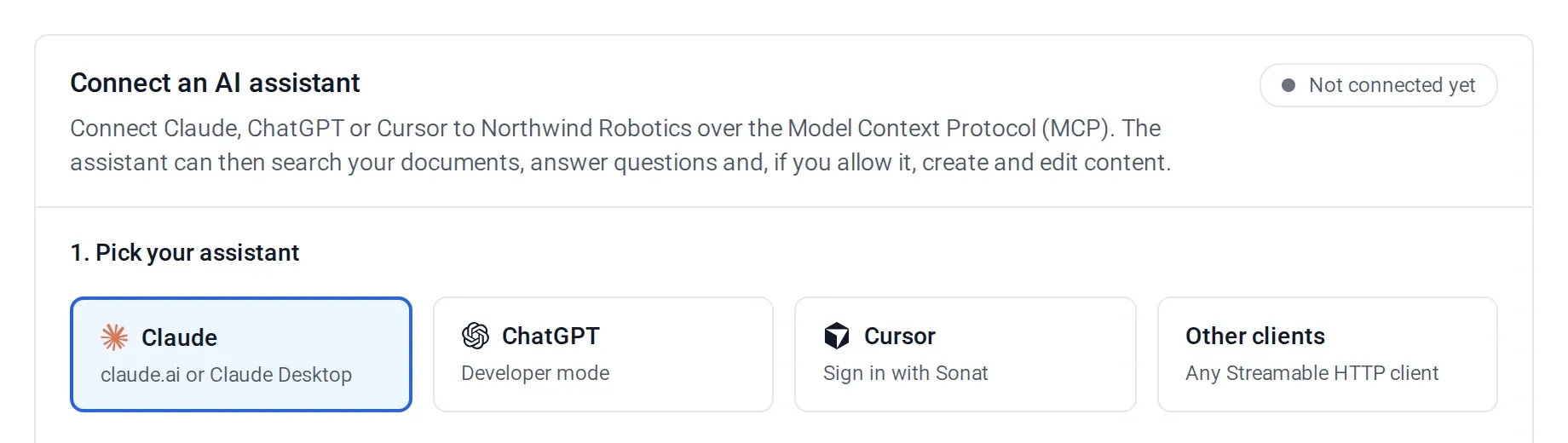
1 Pick your assistant
Claude on the web or desktop, ChatGPT with developer mode, Cursor, or any client that supports remote MCP servers over HTTP.
-
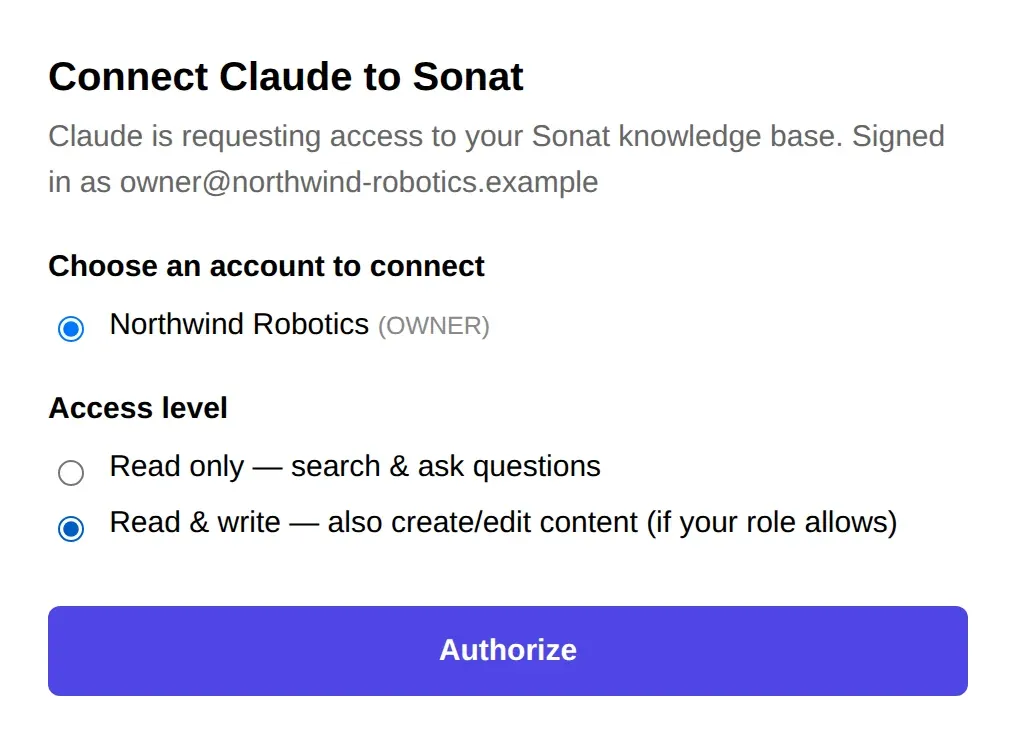
2 Sign in and choose access
Sign in with your Sonat login. No keys to paste. The connection can do what your role allows in that account, and nothing more.
-
3 Changes wait for a yes
Edits are saved as drafts. Publishing is a separate action, and your AI tool shows it before it runs. Set it to ask every time and nothing goes live without your click.
Setup
Connect the MCP server in three steps.
Pick your AI tool. Paste the address, sign in with Sonat, and the tools appear in your chat.
- In Claude, open Settings, then Connectors.
- Choose "Add custom connector" and paste the address below.
- Click Connect and sign in with your Sonat account.
https://mcp.sonat.com/mcpWorks in Claude on the web and in the desktop app.
- In ChatGPT, open Settings, then Apps & Connectors, and turn on developer mode.
- Create a connector and paste the address below.
- Sign in with your Sonat account when ChatGPT asks.
https://mcp.sonat.com/mcpChatGPT lists custom MCP connectors under developer mode.
- Open the file below, or Cursor Settings, then MCP.
- Add the "sonat" server shown here and save.
- Cursor opens a browser window. Sign in with your Sonat account.
{
  "mcpServers": {
    "sonat": {
      "url": "https://mcp.sonat.com/mcp"
    }
  }
}
Use a project file at .cursor/mcp.json to share it with your team.
The details
What the MCP server includes
- Plans
- Every plan, including Free.
- Clients
- Claude (web and desktop), ChatGPT with developer mode, and Cursor. One address for every client.
- Sign-in
- Your Sonat login. Each connection is tied to one account, acts with your role's permissions there, and can be disconnected at any time.
- Access level
- Read only to search and ask questions, or Read & write to also create and edit content, if your role allows.
- Tools
- Search and ask your knowledge base, create and update documents and topics, move topics, upload images, publish and revert topics, and read your content-gap list.
- Publishing
- Edits are drafts. Readers see nothing until a topic is published, which is a separate call.
- AI credits
- None. The model runs in your own AI tool.
- Who it's for
- Your team, to write and manage docs. Readers ask questions with AI answers in your docs search.
Manuals published with Sonat by





Connect your AI tool in two minutes.
Start a free Sonat account, add one topic, and ask Claude about it.
FAQ
MCP server questions
What is an MCP server for documentation?
MCP (Model Context Protocol) is an open standard that lets AI tools call outside services. The Sonat MCP server lets Claude, ChatGPT or Cursor search, read and edit your Sonat docs directly, instead of you pasting text into the chat.
Which AI clients work with the Sonat MCP server?
Claude (web and desktop), ChatGPT with developer mode, and Cursor. Any client that supports remote MCP servers over HTTP can connect to the same address.
Can Claude publish to my docs without me?
Edits are saved as drafts. Publishing is a separate action, and your AI tool shows it before it runs. Set it to ask every time and nothing goes live without your click.
Is the connection secure?
You sign in with your Sonat login. Each connection is tied to one account and acts with your role's permissions there. You can disconnect it at any time.
Does using the MCP server use AI credits?
The model runs in your own AI tool, so searching, reading and editing through MCP don't use Sonat AI credits.
Which plans include the MCP server?
Every plan, including Free. See pricing for what each plan includes.
Can my readers connect their AI tool to my public docs?
Not today. The MCP server is for your team, to write and manage docs. Readers ask questions with AI answers in your docs search.