
How to Create a User Manual with AI: 5 Steps and the Prompts to Use
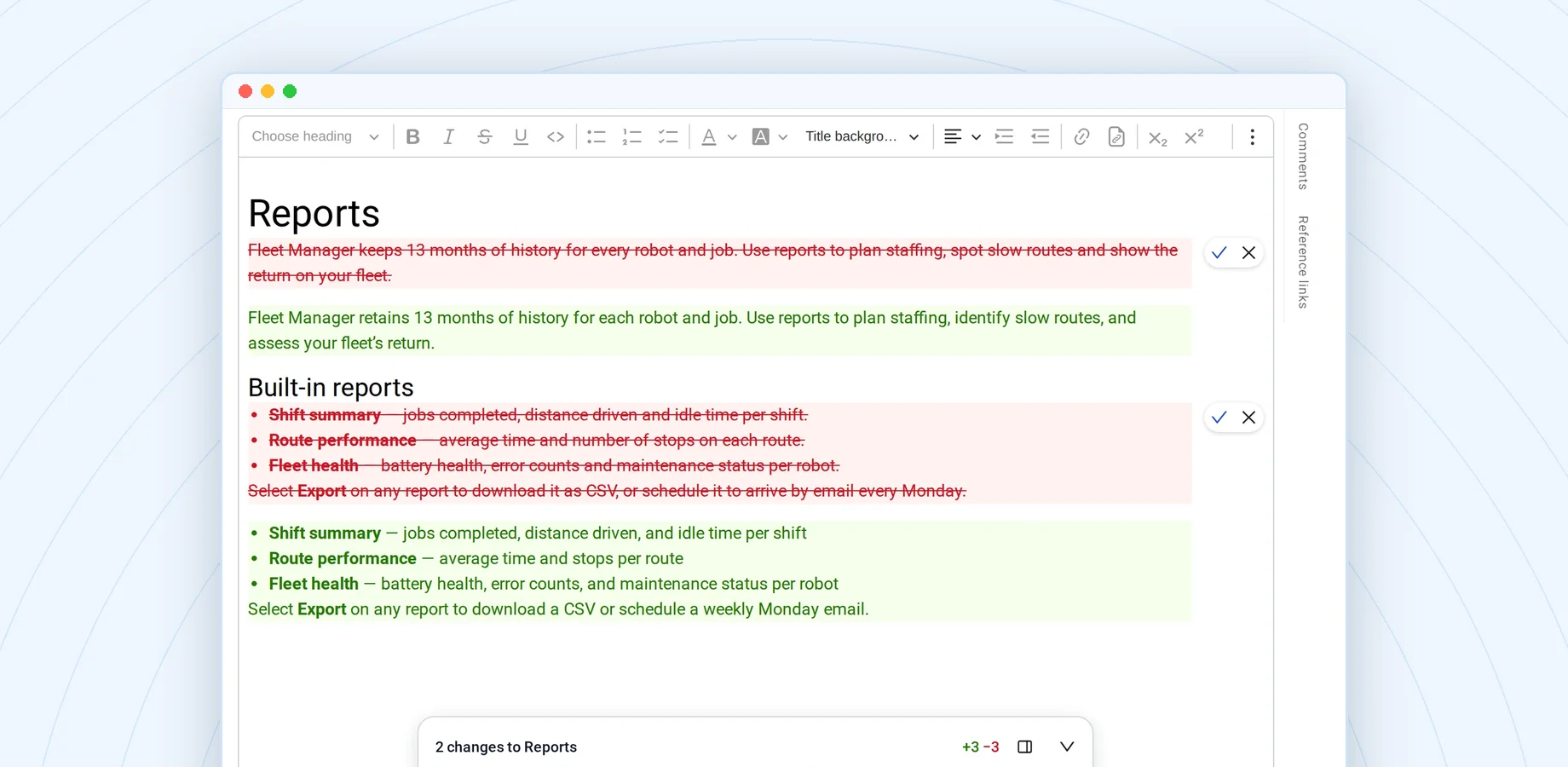
AI can turn a pile of specs, notes and support tickets into a first draft of a user manual in an afternoon. It can also write a confident instruction for a button your product doesn’t have. The difference between those two outcomes is not the model you pick. It’s the method around it.
This guide walks through that method in five steps, with the prompts we use at each one. It works with any general AI chat tool, and it’s the same process a user manual creator with built-in AI, like Sonat, runs for you.
What AI is good at in a user manual, and what it isn’t
Before the steps, it helps to be clear about the split of work.
AI is good at:
- Turning rough notes into structured, numbered steps
- Proposing an outline from a feature list
- Keeping terminology and tone consistent across dozens of pages
- Rewriting dense paragraphs into plain language
- Turning a batch of support tickets into a troubleshooting section
- Producing a first translation
AI is bad at:
- Knowing what your product actually does. It only knows what you give it, and fills gaps with plausible guesses.
- Noticing that a screen changed in the last release
- Judging what a nervous first-time user needs to hear before a risky step
- Taking responsibility for safety warnings
So the method is built around one rule: the AI drafts, a person who knows the product decides. Every step below either feeds the AI better material or checks what it wrote.
Step 1: Gather your sources
The quality of an AI-written manual is capped by the material you hand it. Collect everything that describes how the product really works:
- Spec sheets, release notes and internal wiki pages
- The existing manual, even if it’s out of date
- Your product’s web pages and onboarding emails
- The 20 most common support tickets, with the answers your team gave
- A transcript of someone walking through the product out loud (record a call, then transcribe it)
The support tickets matter more than they look. They show what readers get stuck on, in the words readers use, and that’s exactly what the manual should answer.
Leave out marketing copy you wouldn’t want quoted as instructions. If it’s in the sources, the AI will treat it as fact.
Step 2: Generate an outline by task, then fix it yourself
Ask for the outline before any text. An outline is cheap to change. Twenty drafted pages built on the wrong outline are not.
Prompt — outline
You are a technical writer. Using only the sources below, propose an outline for a user manual for [product]. The readers are [who they are and what they already know].
Organize it by the tasks readers need to finish, in the order they meet them (for example: before you start, setup, everyday use, maintenance, troubleshooting). Name each topic as a task in plain words, like “Connect the sensor”, not as a feature or screen name. For each topic, add one line on what the reader can do after reading it.
If the sources don’t cover a task a reader would obviously need, list it separately under “Missing from sources”.
Sources: [paste]
Then edit the outline by hand:
- Merge topics that answer the same question. AI outlines tend to split one task across three headings.
- Move the first success to the front. A new user should reach something that works within the first two or three topics.
- Read the “Missing from sources” list. Each item is either a gap in the product knowledge you gave the AI, or a gap in your documentation. Both are worth knowing about now.
Step 3: Draft one topic at a time with the same prompt
Don’t ask for the whole manual in one go. Long outputs drift: terms change halfway, steps get skipped, and invented details are harder to spot. Draft topic by topic with a fixed prompt, so every page comes out in the same shape.
Prompt — draft a topic
Write the topic “[topic title]” for the [product] user manual. Readers: [audience]. Use only the sources below.
Format:
- One sentence on what the reader will do and why.
- “Before you start”: anything they need first (tools, permissions, other topics).
- Numbered steps. One action per step. Start each step with the verb. After any step where something visible happens, say what the reader should see.
- “If something goes wrong”: the likely problems for this task and how to fix them.
Use these exact terms: [your glossary, for example “controller” not “hub” or “base unit”].
If the sources don’t say something you need, do not guess. Write [CHECK: what’s missing] in its place.
The [CHECK: ...] instruction is the most useful line in the prompt. It turns invented details into visible questions, so your review becomes “answer the checks” instead of “find the hidden mistakes.”
For physical products, add one more line asking for a safety note before any step that involves power, heat, sharp tools or lifting. Then have a person who owns product safety write or approve the final wording.
Step 4: Verify every step against the real product
This is the step people skip, and the one that decides whether the manual helps anyone.
- Resolve every
[CHECK]. Ask the engineer or product owner, then fill it in yourself. - Follow the steps with the real product in front of you. Click every button and turn every screw the page describes. Fix anything that doesn’t match.
- Hand one topic to someone who has never used the product. Watch where they hesitate. Each pause marks a sentence to rewrite.
- Run a consistency pass with AI. Once the facts are right, AI is a good second reader:
Prompt — consistency check
Review the user manual topics below. List: (1) terms used for the same thing in different ways, (2) steps that contain more than one action, (3) steps that don’t say what the reader should see, (4) sentences over 25 words. Don’t rewrite anything. Just list the issues with the topic name and the sentence.
Asking for a list instead of a rewrite keeps you in control. A rewrite can quietly undo the facts you just fixed.
Step 5: Publish where readers look, and keep it current
A manual that lives in a PDF on a shared drive is a manual few people find. Publish it where readers already search, the way an online manual creator does by default: on the web, with a search box, and as a downloadable PDF for people who need to print it or read it offline.
Then plan for the manual to change, because the product will:
- Update the manual as part of each release. Give AI the release notes and the affected topics, and ask for a list of what needs to change.
- Turn new support tickets into topics. Every question asked twice is a page you haven’t written yet.
- Watch what readers search for. Searches that return nothing are the clearest to-do list a documentation team can get.
Prompt — update after a release
Here are the release notes for version [x] and the current text of these manual topics. List every sentence that is now wrong or incomplete, and the topic it’s in. Then list any new task from the release notes that no topic covers yet.
More prompts worth keeping
Troubleshooting from tickets
Group these support tickets by the problem the customer had. For each group, write a troubleshooting entry: the symptom in the customer’s words, the likely cause, and numbered steps to fix it. Use only the answers our team gave in the tickets.
Plain-language rewrite
Rewrite this section for a reader who has never used [product]. Keep every fact. Use short sentences, common words and the active voice. Address the reader as “you”. Don’t add anything that isn’t in the original.
Quick start
From the topics below, write a quick start guide that takes a new user from unboxing (or sign-up) to [first success] in no more than 8 steps. Link each step to the full topic for details.
Translation check
Compare the English and [language] versions of this topic. List any step, warning or number that differs in meaning. Ignore wording differences that keep the same meaning.
AI chat or an AI user manual generator?
A general chat tool is enough to try the method above. It starts to hurt at the scale of a real manual: you paste the same sources into every conversation, copy each answer into a document, and keep the glossary and the formatting consistent by hand.
An AI user manual generator keeps your sources, your outline and every topic in one place. It drafts inside the manual itself, so the structure, terms and format stay consistent, and it publishes the result. When you compare tools, check three things:
- Does it write only from your material, and ask when the material doesn’t say?
- Do you approve changes before they go live, or does it publish on its own?
- What happens after the first draft? Can readers search the published manual, and can you see what they couldn’t find?
Sonat’s AI user manual generator is built around those three answers. It drafts from Word files, web pages, Google Docs or a short description of your product, asks when your sources are silent, shows what changed for your approval, and publishes a searchable web manual and a PDF.
Frequently asked questions
Can AI write a whole user manual?
It can write a full first draft. It can’t confirm the draft is correct. Expect AI to save most of the typing and structuring time, and plan to keep the verification step, done by someone who knows the product.
Which AI is best for writing user manuals?
The model matters less than the method. Any current model writes clear steps when it gets good sources, a fixed format, and permission to say “I don’t know.” Pick the tool that keeps your sources and manual together and makes review easy.
Is it safe to publish an AI-written user manual?
Only after a person has checked every step against the product. That’s especially true for safety warnings, legal text and anything involving electricity, chemicals or medical use. Those need a human author or approver.
How long does it take to create a user manual with AI?
For a small product, gathering sources and outlining takes a few hours. Drafting with AI then goes fast. Verification usually takes the most time, and it should.
Start with one chapter
You don’t need to convert a whole manual to see whether this works for you. Pick one chapter, run it through the five steps, and compare it with what you have today. If you’d rather keep the sources, drafts, approvals and published manual in one tool, you can try it in Sonat’s user manual creator on the free plan.
For the writing itself, see our guides on how to write a software user manual and user manual examples worth copying.