
Assistant widget · $100/mo extra
An in-app help widget that answers from your docs.
One script tag. Your users ask questions inside your product and get AI answers from the docs you already publish in Sonat.
How it works
An embeddable help widget, fed by your manual.
You already wrote the manual. Now it answers inside your product.
-
1 Install with one script tag
Turn on the widget extra, set up the widget in your organization settings, and paste the snippet into your app. No SDK or build step.
-
2 Users ask inside your product
The widget loads on every page that has the snippet: your web app, your marketing site or a customer portal. Users ask without leaving your product.
-
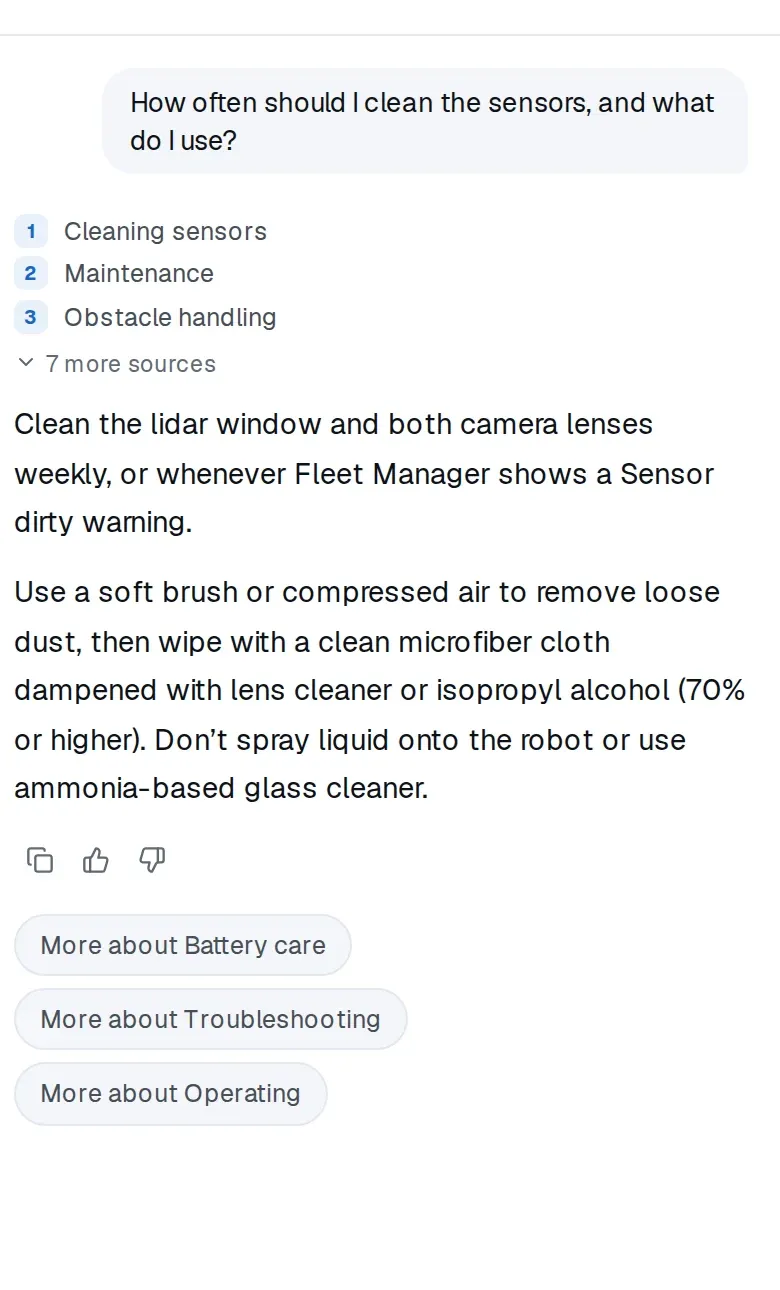
3 Answers come from your published manual
The widget answers from the same published docs as your help site, with a link to the page so users can read more. Shown here in a help site's Ask panel.
The snippet
One script tag.
Copy your snippet, with your assistant's id, from your Sonat settings.
<script
  name="SonatWebAssistant"
  id="your-assistant-id"
  src="https://resources.sonat.com/webAssistantSonat.min.js">
</script>
The details
What the widget includes
- Price
- $100 a month extra on any paid plan: Team, Business or Enterprise.
- Install
- One script tag, configured in Sonat. No SDK or build step.
- Where it works
- Your web app, your marketing site or a customer portal.
- Content
- The same published docs as your help site. No second knowledge base to write.
- Sources
- Each answer links to the page, so users can read more.
- Updates
- Update a topic and publish. The widget answers from the new version.
- Turning it off
- The widget stops showing on your site. Your settings are kept, so turning it back on restores it.
Manuals published with Sonat by





See the widget inside your own app.
Book a demo. We'll connect it to a sample of your docs and show it running on a test page.
FAQ
In-app help widget questions
How do I install the help widget?
Turn on the widget extra, set up the widget in your Sonat organization settings, then paste the script tag into your app or website.
Which plan includes the assistant widget?
It is a $100-a-month extra on any paid plan: Team, Business or Enterprise. See pricing.
Where do the widget's answers come from?
From the docs you publish in Sonat. Update a page and the widget answers from the new version.
Do I need to write separate content for the widget?
No. The widget uses the same published docs as your help site.
Can I embed the help widget on any website?
Yes. It is a script tag, so it works in your web app, your marketing site or a customer portal.
What happens if I turn the widget extra off?
The widget stops showing on your site. Your widget settings are kept, so turning it back on restores it.